01
The pile keeps growing
Every meeting, call, and idea gets captured somewhere. Going back to actually re-read it? That happens roughly never.
Everything you capture — meetings, notes, research, half-formed ideas — lands in one place, organized for you. Then ask it anything and get a real answer, with the sources to back it up. And the AI assistant you already use? It plugs straight in.
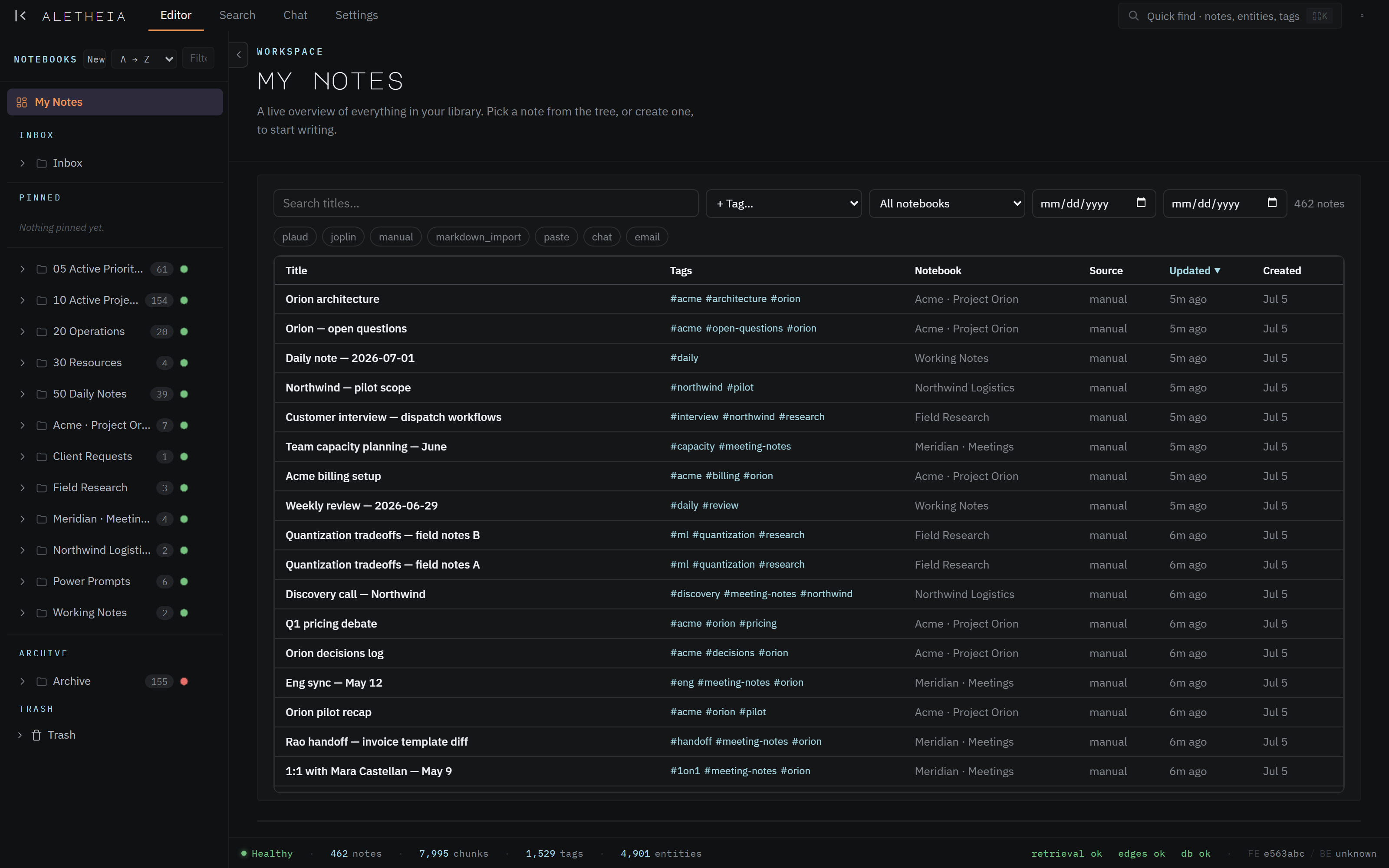
everything in one place — organized, connected, and ready to ask
The notes pile up faster than anyone can read them — and the moment you need something back, it's gone.
Every meeting, call, and idea gets captured somewhere. Going back to actually re-read it? That happens roughly never.
You explain the same background to your assistant over and over. It never remembers what you told it last week — or what's in your notes at all.
Keyword search hands you a list of documents to dig through. What you actually wanted was the answer.
Aletheia is the layer that fixes this. You capture; it organizes, connects, and remembers — then hands the whole thing to your AI so you can just ask.
Ask a real question in plain English. Aletheia reads across everything you've captured and answers — with links to the exact notes it used.
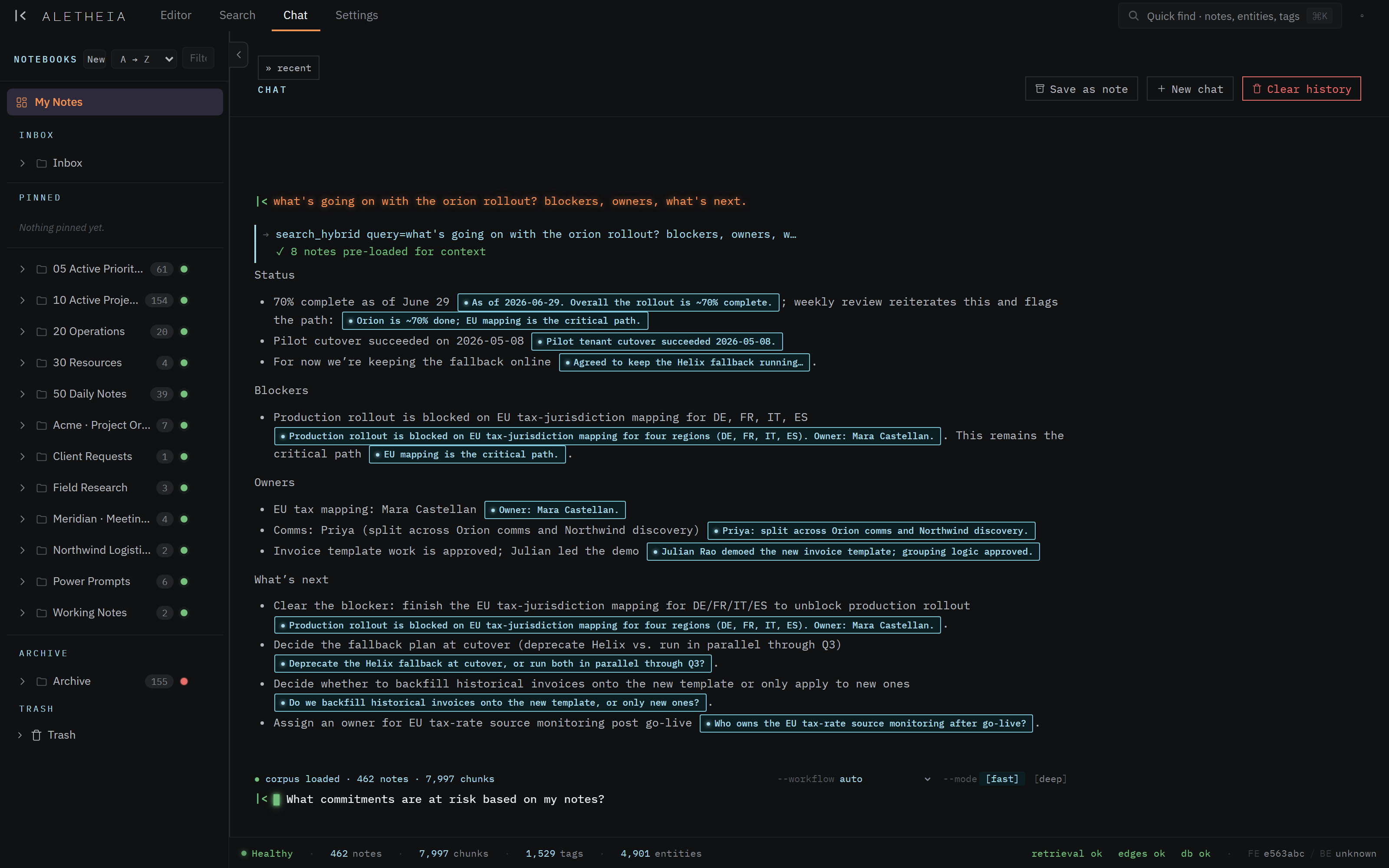
Every claim links back to the exact note it came from, so you can verify in one click. And if the answer genuinely isn't in your notes, Aletheia tells you — it won't make one up.
A clear rundown of where things stand — decisions made, what's blocking, who owns what, and what's next.
The decision, when it was made, and the conversation behind it — pulled from wherever it actually happened.
The people, projects, meetings, and open questions tied to any person, company, or topic in your notes.
Every open commitment and follow-up, gathered from across your notes and grouped so nothing slips.
The whole story in order, beat by beat — each moment linked to the note where it happened.
The one nothing else does: conflicting statements surfaced side by side, so you catch what changed.
Real screenshots from the app — not mockups. This is what you'd be working in.
Half-remember something from a call months ago? Just describe it — Aletheia finds it even when you don't recall the exact words. Narrow by date, project, or person the moment you need to.
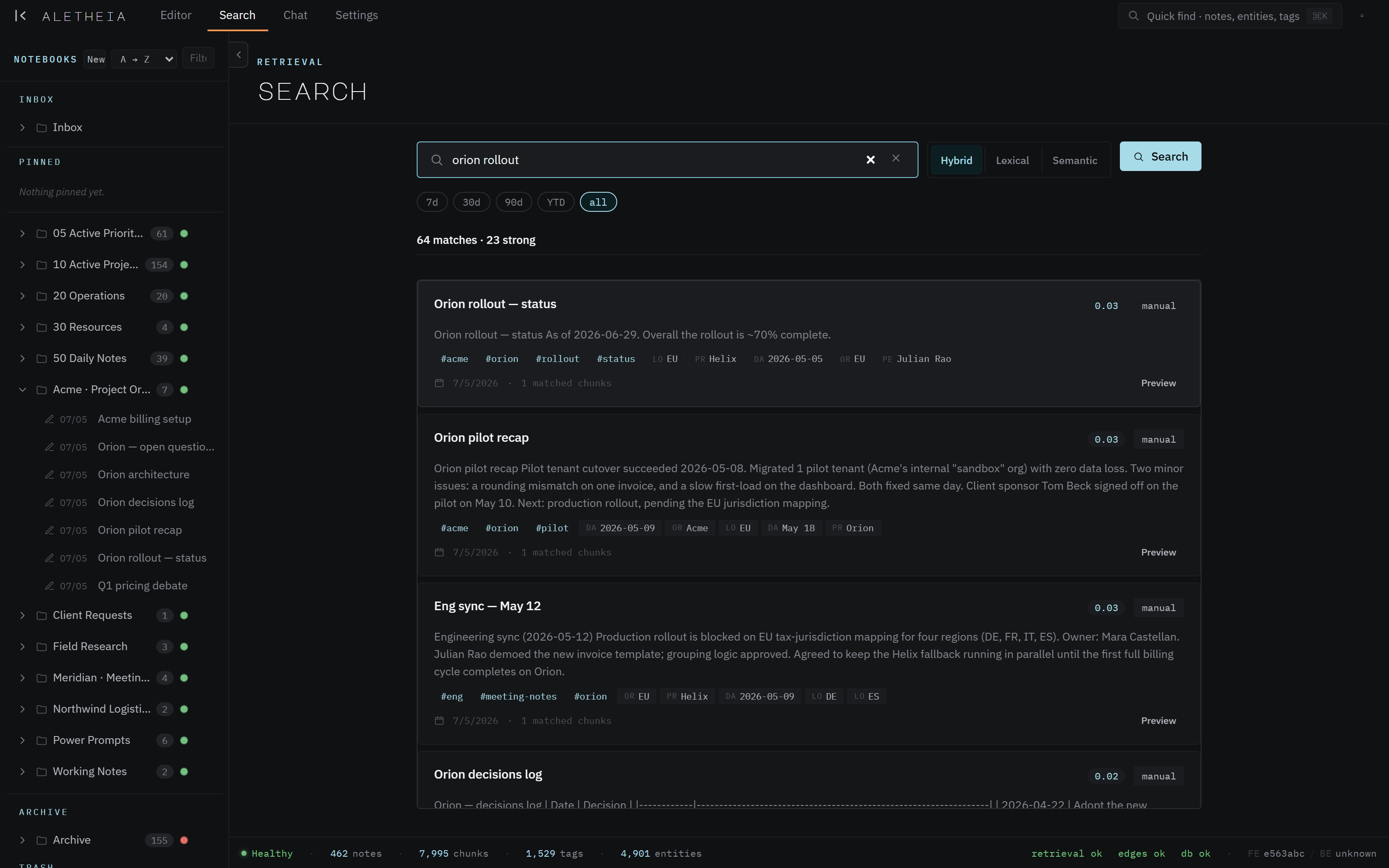
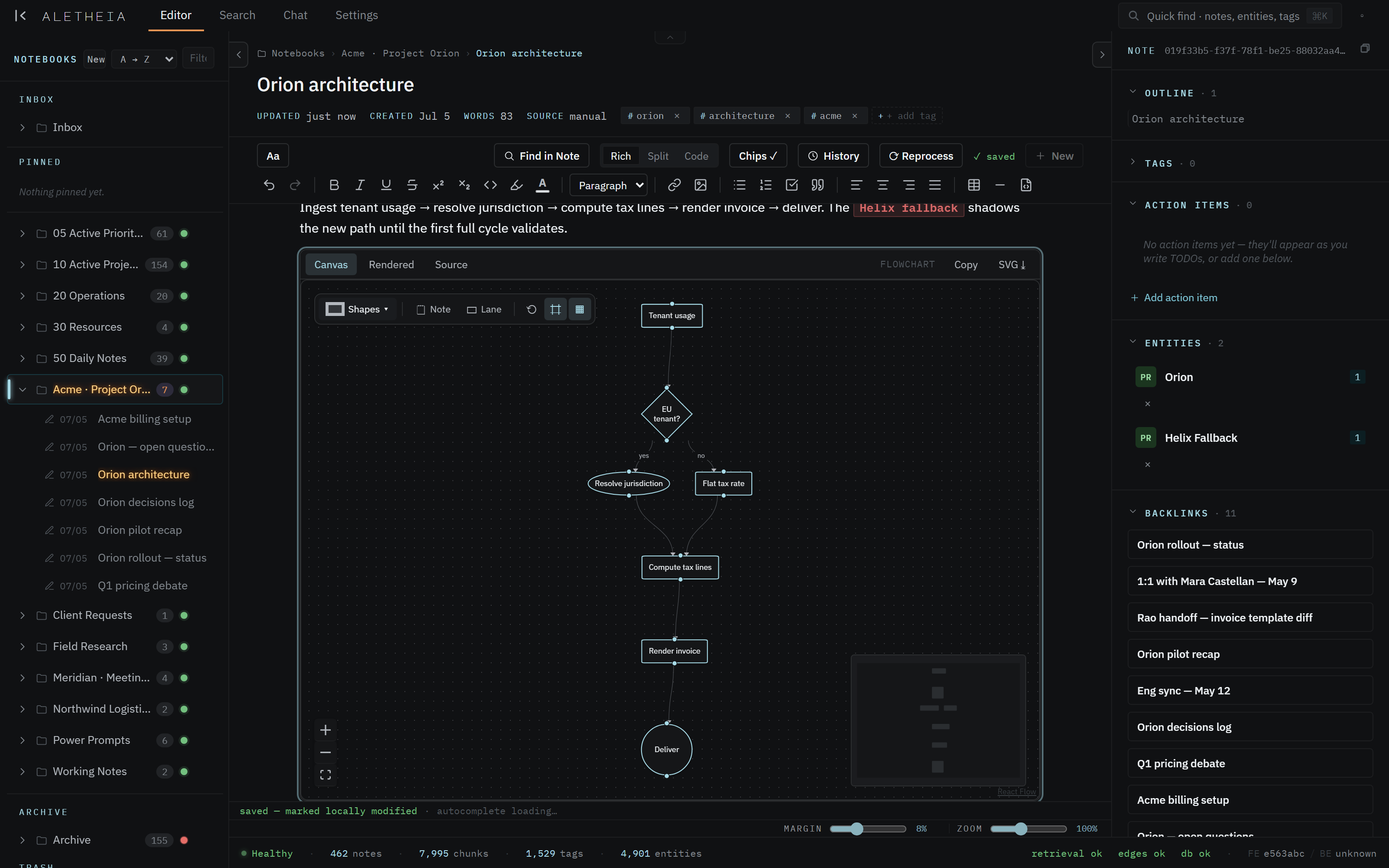
Aletheia quietly maps the people, projects, and threads running through your notes. Sketch a diagram right inside a note, and follow the web of connections it builds for you — no manual linking required.
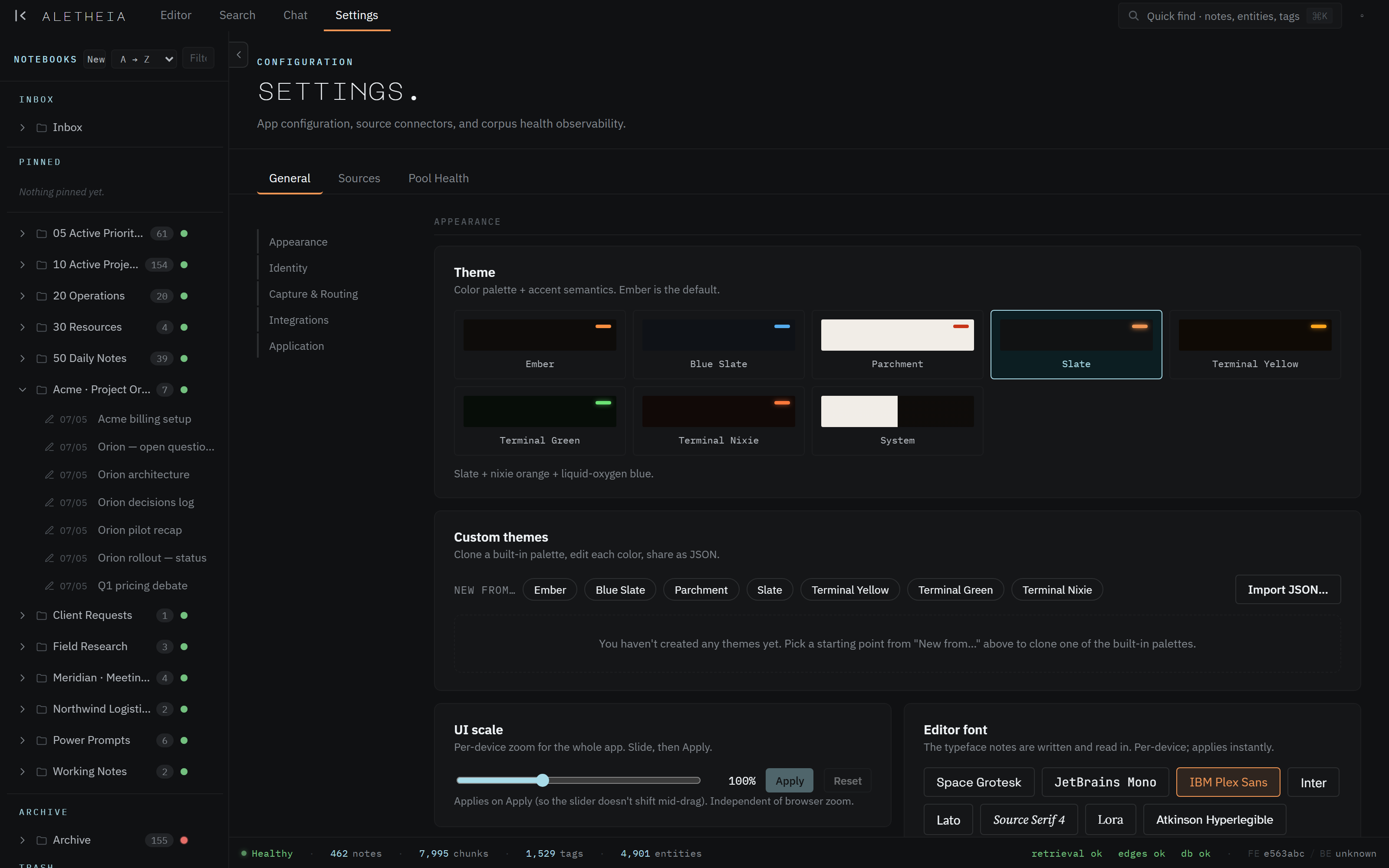
Seven built-in looks, from calm near-black to warm paper to a phosphor-green terminal. Tune any of them, or build your own — because you'll be living in this every day.
Aletheia speaks MCP — the open standard that lets AI assistants connect to your tools. Point yours at your workspace and it just works.
Connect Claude — or any assistant that speaks MCP — and it reads your notes, answers from them, and can even write new ones for you. No pasting snippets, no re-explaining context.
Use whichever assistant you prefer, and switch whenever you like. Your knowledge doesn't move and doesn't get locked to one vendor — it stays yours.
Don't want to bring your own? A capable assistant is built right in, ready to answer from your notes the moment you open the app.
Easy to fill, safe to trust, and never held hostage.
Every change is saved and reversible. Delete something by accident? Bring it right back.
Import your existing notes, forward meeting transcripts by email, or paste anything — it all lands in one place.
Export everything as plain, open files whenever you want. No lock-in, not ever.
Your workspace is yours alone. Your notes aren't anyone's training data.
Honest status: Aletheia is being built in the open, and it isn't ready for everyone quite yet.
Aletheia runs every day against a real, messy knowledge base — but it isn't packaged for other people yet. That's why there's no sign-up or download here: it's deliberate, not missing.
Want to follow along, or see how it's being built? It's all out in the open on GitHub ↗. When it's ready to share, this is where it'll show up.