Extraction & pool health
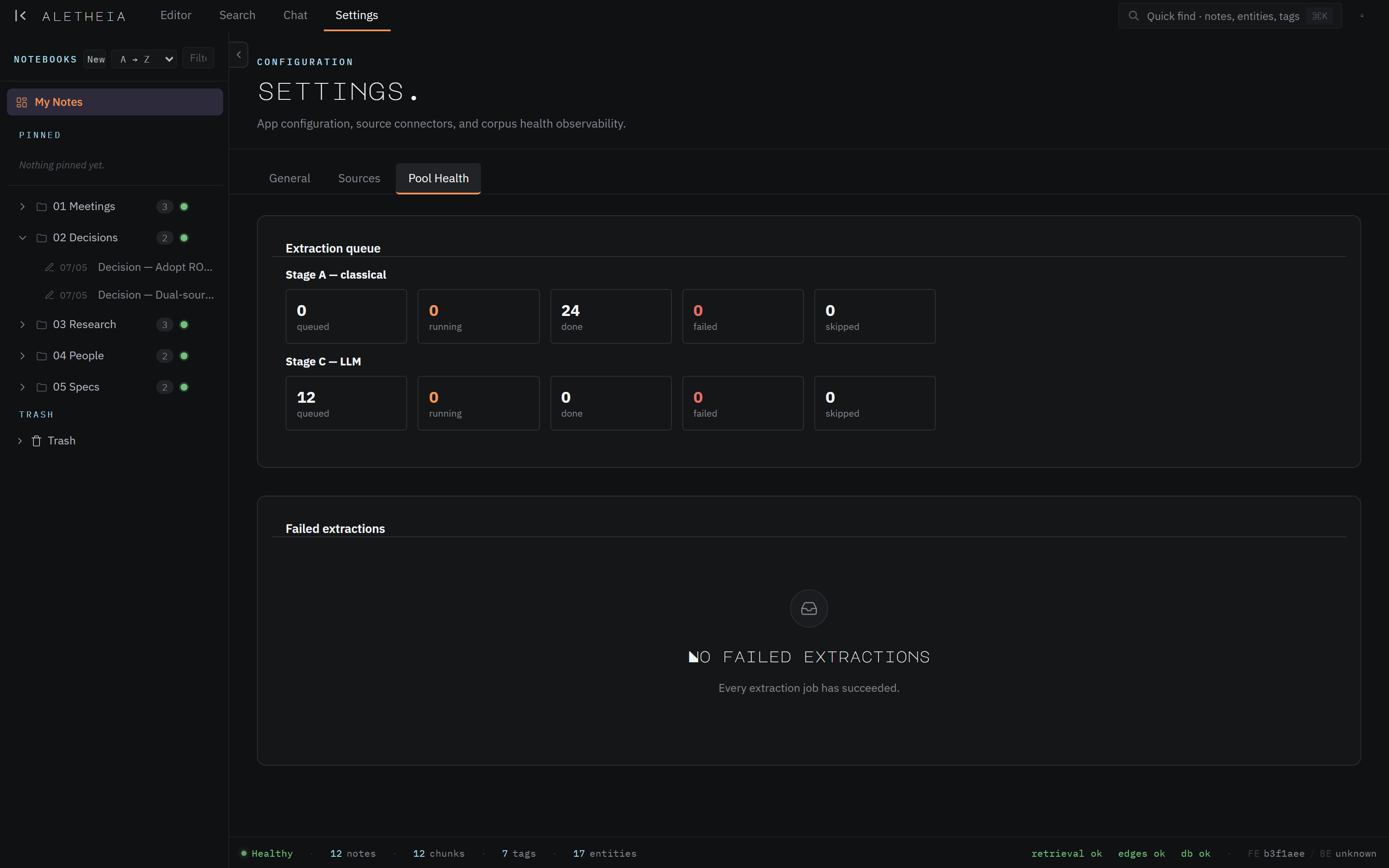
Everything that makes Aletheia more than a text editor — entities, tags, chunks, embeddings, action items — is produced by the extraction pipeline. It runs automatically in the background. Settings → Pool Health is where you watch it work.
What extraction does
When you save (or import) a note, it's queued for processing in stages:
- Stage A — classical. Fast, deterministic parsing: chunking the note into passages and the pattern-based first pass.
- Embedding. Each chunk gets a semantic embedding — the fingerprint that powers semantic and hybrid search.
- Stage C — LLM. The heavier, model-driven pass: extracting entities, auto-tags, and action items from the prose.
This is why a note's sidecar fills in progressively: Stage A and embedding finish in seconds; the LLM stage lands a moment later.
Reading the queue
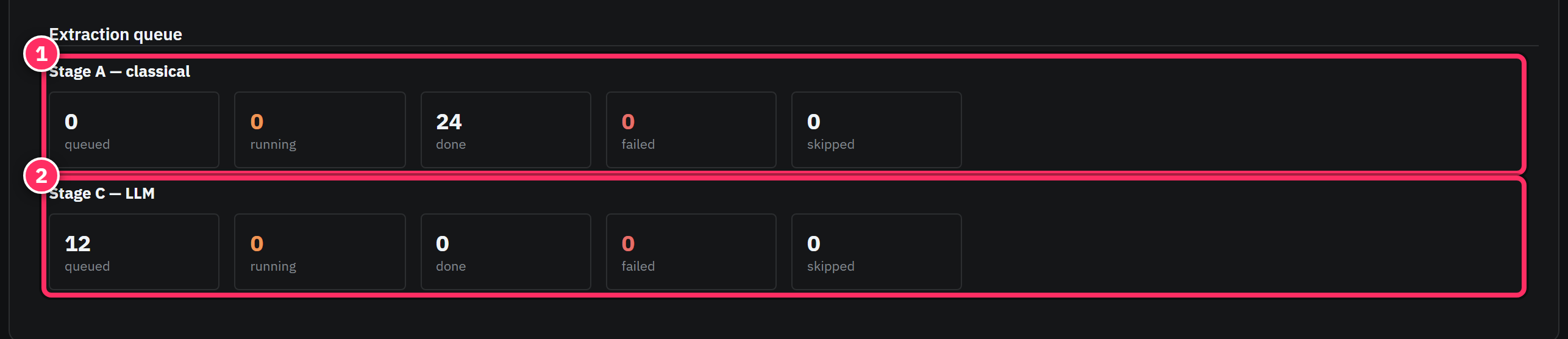
Each stage shows five counts:
| Count | Meaning |
|---|---|
| queued | Jobs waiting to run |
| running | Jobs in flight right now |
| done | Jobs completed |
| failed | Jobs that errored out after retries |
| skipped | Jobs deliberately not run |

A healthy corpus trends toward done, with queues that drain after a burst of writing or an import. In the screenshot, Stage A has processed 24 jobs and Stage C has 12 queued — extraction catching up on the LLM pass right after a seed of notes.
Failed extractions
The Failed extractions panel is a triage list of jobs that couldn't complete. When it's empty you'll see "Every extraction job has succeeded." When it isn't, each entry can be retried or inspected — nothing is dropped silently, so a transient failure (say, an API hiccup) is visible and recoverable rather than a note that quietly never got enriched.

The status bar is your at-a-glance health
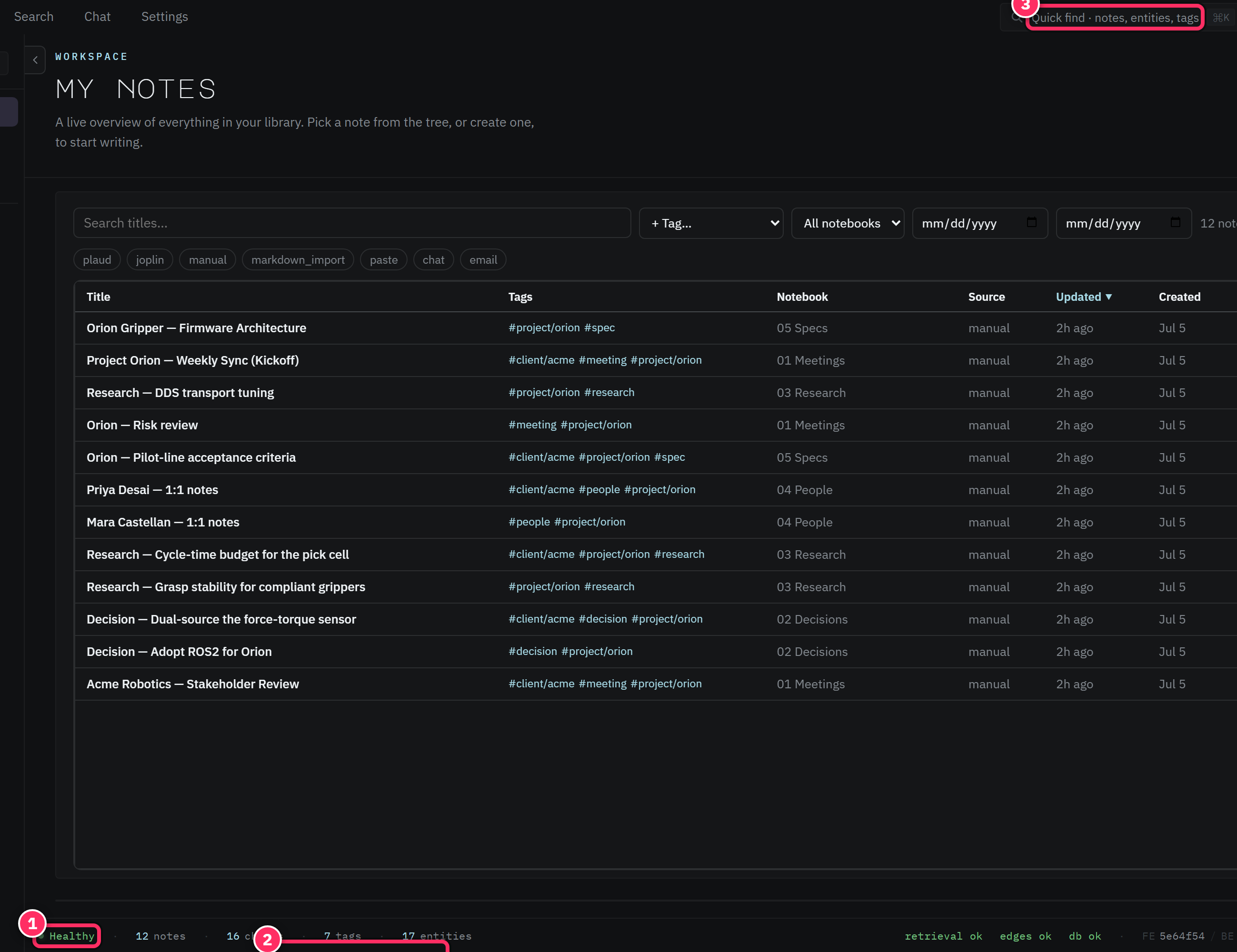
You don't need to sit on this tab. The status bar at the bottom of every surface shows live notes · chunks · tags · entities counts and subsystem status. If chunks or entities lag well behind your note count, extraction is either busy or stuck — Pool Health tells you which.
Extraction depends on the AI provider
The embedding and LLM stages call an AI provider. If that provider is rate-limited or its quota is exhausted, extraction degrades gracefully — jobs queue and retry rather than failing permanently — but new notes won't become semantically searchable until it recovers. A growing Stage C queue that never drains is the signal to check provider status.
After a big import, let the queue drain before you judge search
Bulk imports create large queues. Semantic search and chat only see a note once its chunks are embedded, so give the queue time to clear before concluding "search can't find my imported notes" — it can, once they're processed.
Next: What MCP-first means →