Tags & entities
Tags and entities are the two ways Aletheia makes your notes findable by what they're about rather than just what they say. Both are largely automatic.
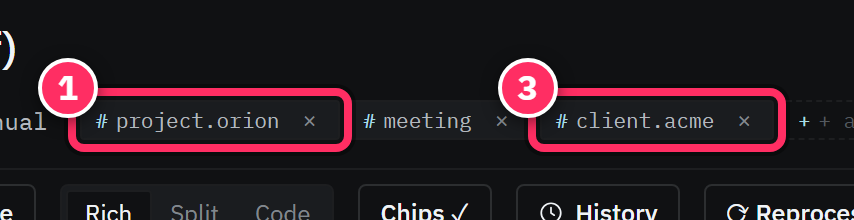
Tags
A tag is a hashtag — #decision, #project/orion, #client/acme. Tags are hierarchical:
the / builds a path, so #project/orion is a child of #project, and filtering by #project
catches everything beneath it.
Tags arrive two ways:
- Auto-tags — extraction infers topical hashtags from the note's text and attaches them.
- Your tags — add them in prose (
#like-this) or via + Add tag in the sidecar.
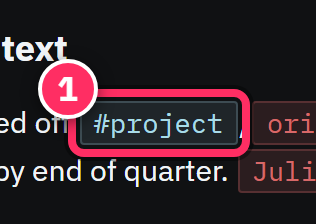
Click any tag chip — in a note, the sidecar, or a search result — to run a search filtered to that tag (and, because tags are hierarchical, its children).
Design a small tag vocabulary and reuse it
Tags are most useful when they're consistent. A compact scheme — #decision, #risk,
#meeting, #project/<name>, #client/<name> — beats a sprawl of one-off tags. Because
they nest, #project/orion and #project/atlas both roll up under #project for free.
Entities
An entity is a person, organization, project, location, or date your notes mention. Aletheia extracts these automatically and — crucially — recognizes the same entity across every note that names it. Mention "Mara Castellan" in ten notes and there's one Mara, linked to all ten.
Entities render as chips wherever they appear:
- In the note body (in Rich view), inline where you named them.
- In the sidecar's Entities section, with a per-note mention count.
- In search results and chat answers.
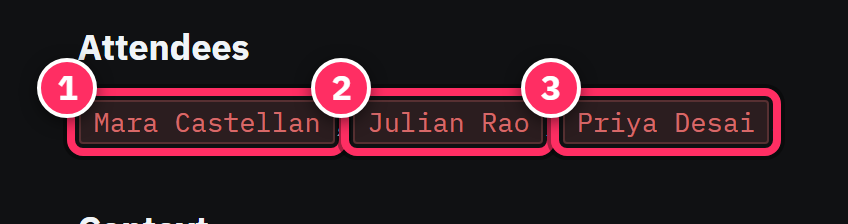
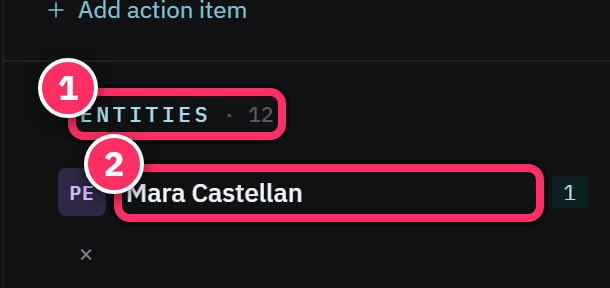
Clicking an entity chip opens that entity — the thread you pull to answer "everything about Acme Robotics" or "what has Priya been involved in".
Entities need names
Extraction keys on named references. "The vendor said…" won't link; "Acme said…" will. When a person or org matters for later recall, name them explicitly at least once in the note.
Tags vs. entities — which is which?
| Tag | Entity | |
|---|---|---|
| Answers | What topic? | Who / what thing? |
| Looks like | #decision, #project/orion |
Mara Castellan, Acme Robotics |
| Shape | Hierarchical path | A named person/org/project/place/date |
| You control | Add your own freely | Extracted from names in text |
Use tags for the kind of note (a decision, a risk, a meeting) and entities — which you mostly just get for free — for the people and things it involves.
Next: Links & backlinks →