Troubleshooting & gotchas
Common situations, what they mean, and what to do. Most "problems" are extraction being a few seconds behind you — which is by design.
"I just wrote a note but search / chat can't find it"
Why: Semantic and hybrid search and chat rely on chunk embeddings, which extraction produces a few seconds after you save. A brand-new note isn't semantically searchable until its chunks are embedded.
Do: Wait a few seconds and watch the status-bar chunks count tick up. In the meantime, Lexical search finds it immediately by keyword.
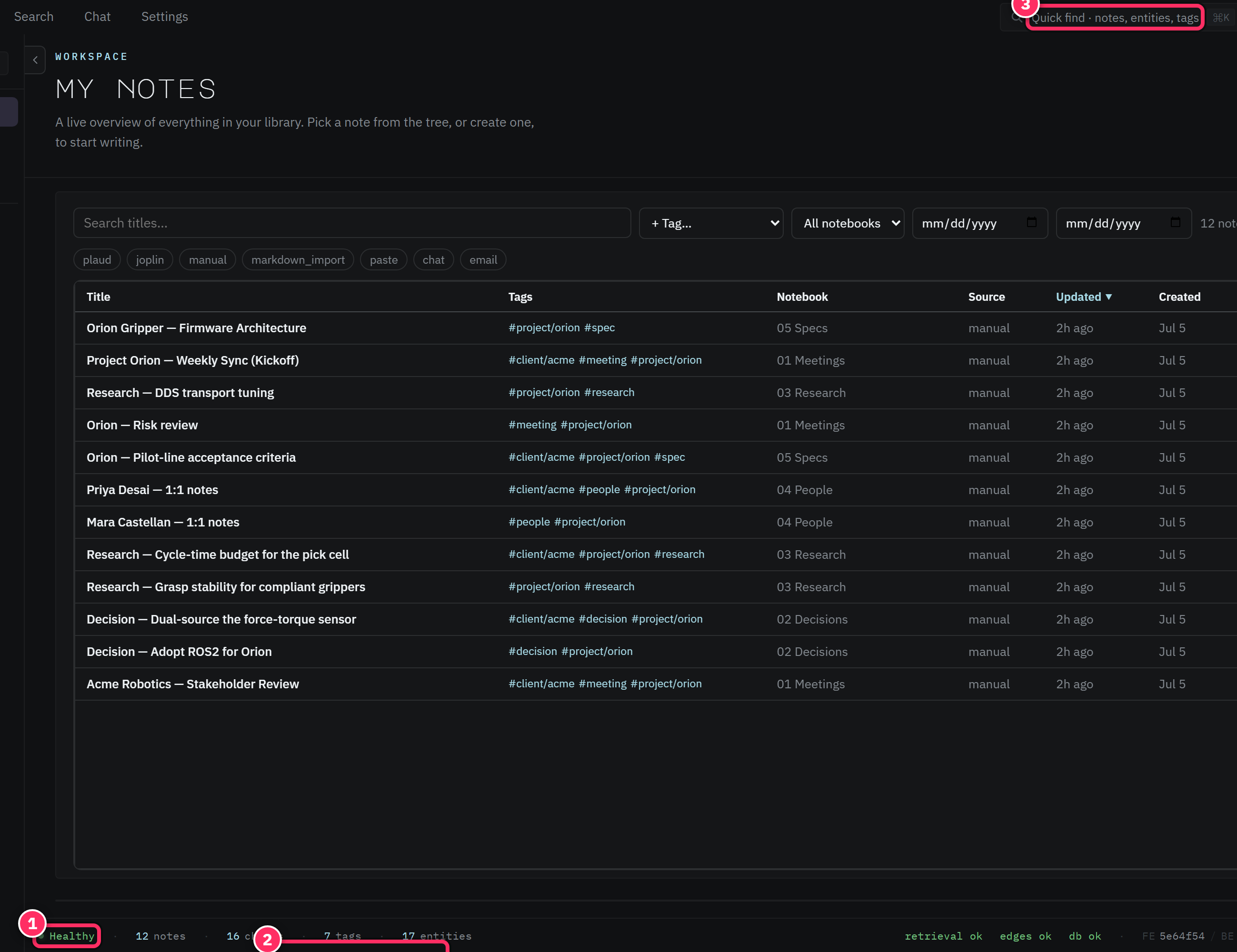
"The sidecar shows no entities / fewer than I expected"
Why: The LLM extraction stage (which finds entities and auto-tags) lands after chunking. Or — you referred to people/things obliquely ("the vendor") rather than by name.
Do: Give it a moment (check Settings → Pool Health for a draining Stage C queue). If names are genuinely missing, edit the note to name them explicitly, then let it re-extract (or hit Reprocess).
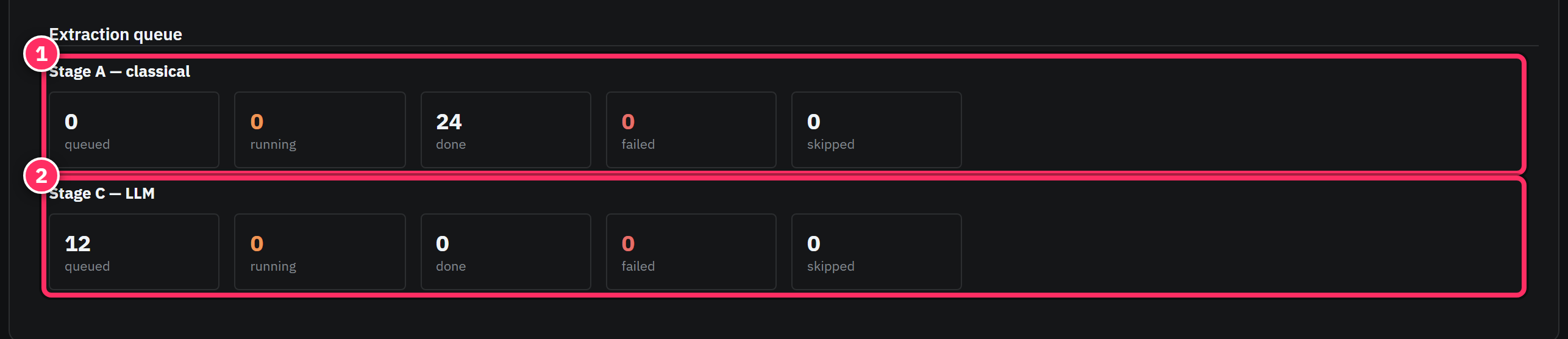
"My imported notes aren't fully searchable yet"
Why: A bulk import queues one extraction job per note. The corpus isn't fully enriched until the queue drains.
Do: Open Settings → Pool Health and watch the queue. Large imports take time; this is normal, not stuck — a stuck queue is one where running stays at zero while queued never falls.
"What's on my plate returns nothing / not configured"
Why: The "me" features need to know which entity is you.
Do: Set your owner entity in Settings → Identity.
"I signed in and my notes are gone / it's empty"
Why: You've almost certainly signed in with a different email than usual — each account has its own isolated workspace, so a different account shows a fresh, empty one. Your notes aren't lost; they're in your other account's workspace.
Do: Sign out and back in with your usual account. See Accounts.
"I made a bad edit / a tool mangled a note"
Why: Notes can be edited by you, an import, or an MCP client.
Do: Open the note's History (revisions) and restore the previous version. Every save is versioned — nothing is truly lost.
"The app looks down / unreachable"
Why: A transient backend or connectivity hiccup. The status bar and a connectivity indicator will show it; the app pauses queries and serves what it can from cache.
Do: Give it a moment to reconnect. If it persists, it's an infrastructure issue rather than something in your control — the app recovers automatically when the backend returns.
"Extraction seems stalled and nothing new is enriching"
Why: The embedding/LLM stages call an AI provider. If that provider is rate-limited or out of quota, jobs queue and retry rather than failing — but they won't complete until it recovers.
Do: Check Pool Health for a Stage C queue that isn't draining. This is a provider-side condition; new notes remain safe (and lexically searchable) and will enrich once capacity returns.

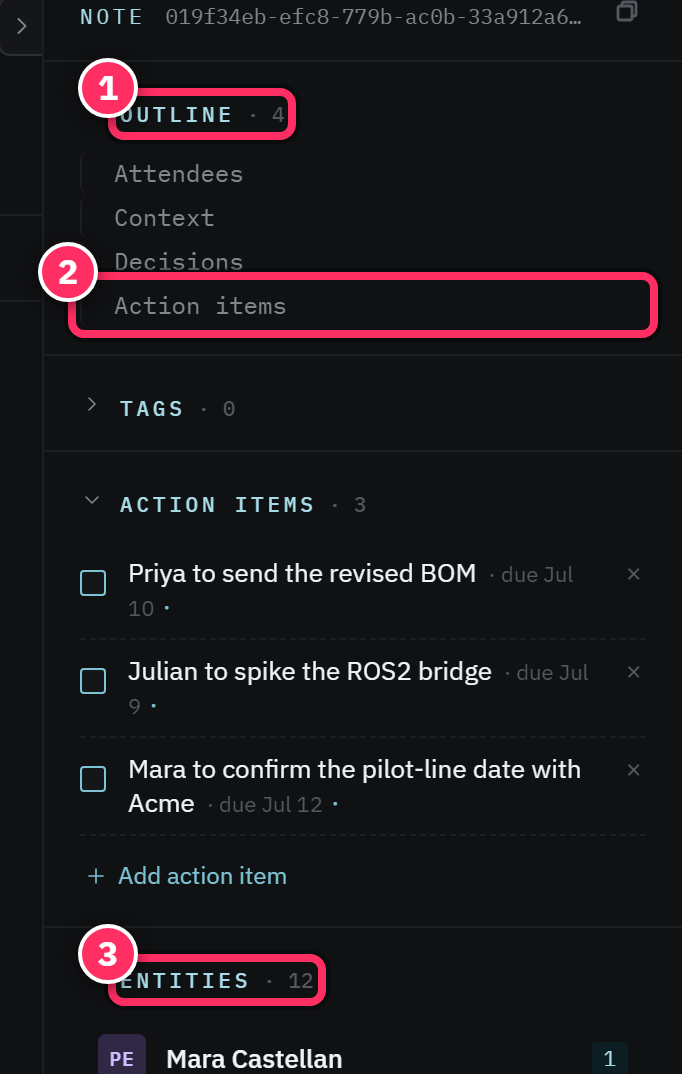
The one-line diagnostic
When something seems missing, look at the status bar first: notes · chunks · tags ·
entities. If chunks/entities lag well behind notes, extraction is catching up — wait. If they
match and it's still missing, switch search modes or check your account.
Next: Glossary →