Welcome to Aletheia
The one idea
Most note apps are filing cabinets: you put things in, and getting them back out is your problem. Aletheia is built the other way around. You capture; it organizes, connects, and remembers — and then it hands the whole thing to your AI so you can just ask.
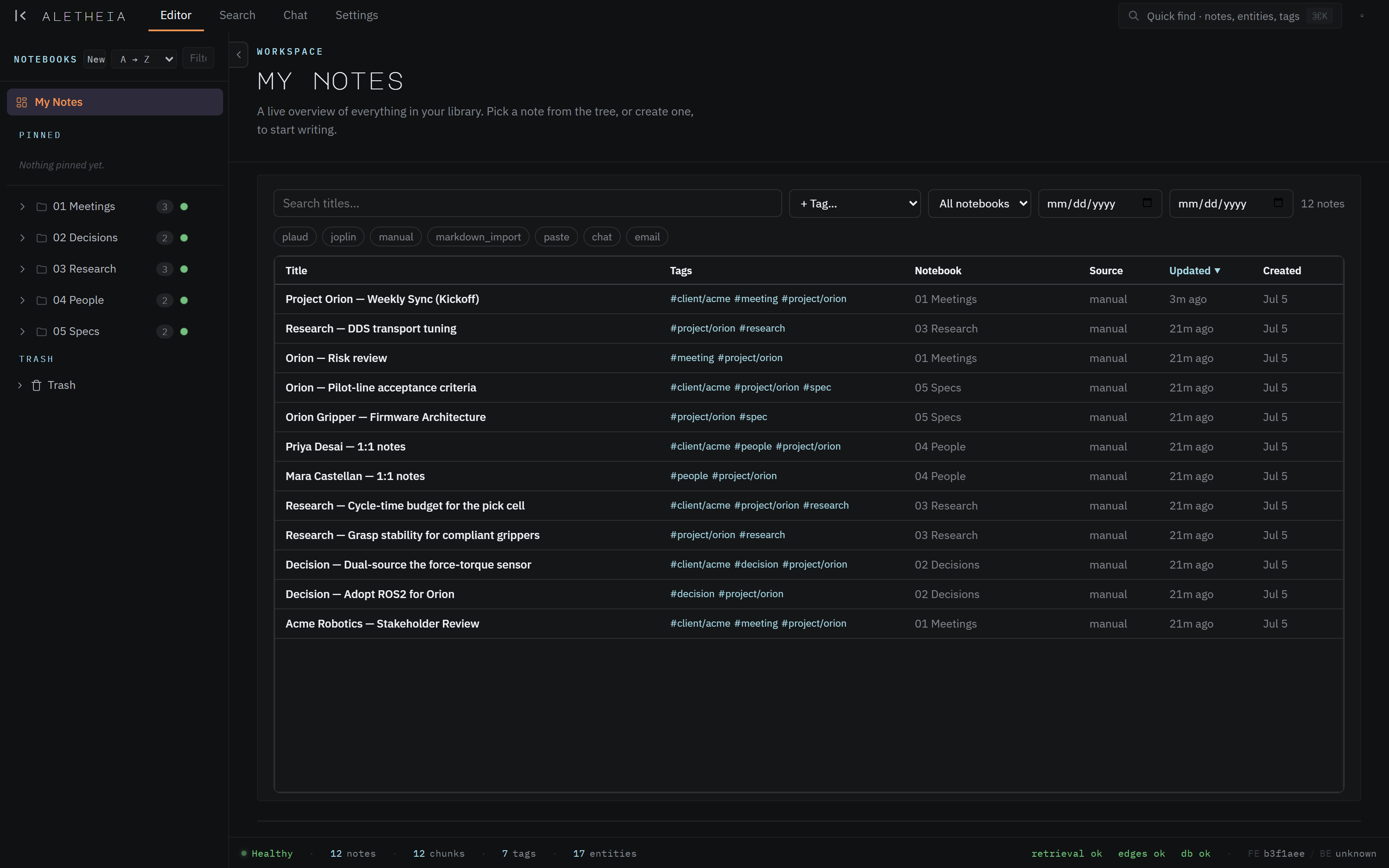
Concretely, everything you write lands in one corpus — a single Postgres database of notes. As each note arrives, a pipeline reads it and pulls out the structure hiding in the prose: the people, organizations, and projects it mentions; the topics (as hashtags); the action items; and the semantic chunks that make it searchable by meaning, not just keywords. You never do this by hand. You write a meeting note in plain English, and a minute later that note is linked to everyone it names and findable by everything it's about.
Who it's for
Aletheia suits anyone whose work throws off more written material than they can re-read: program and project managers, researchers, consultants, founders. If you capture meetings, decisions, and half-formed ideas across the day and then struggle to use any of it later, that's the gap this fills.
Three things it does that a filing cabinet can't
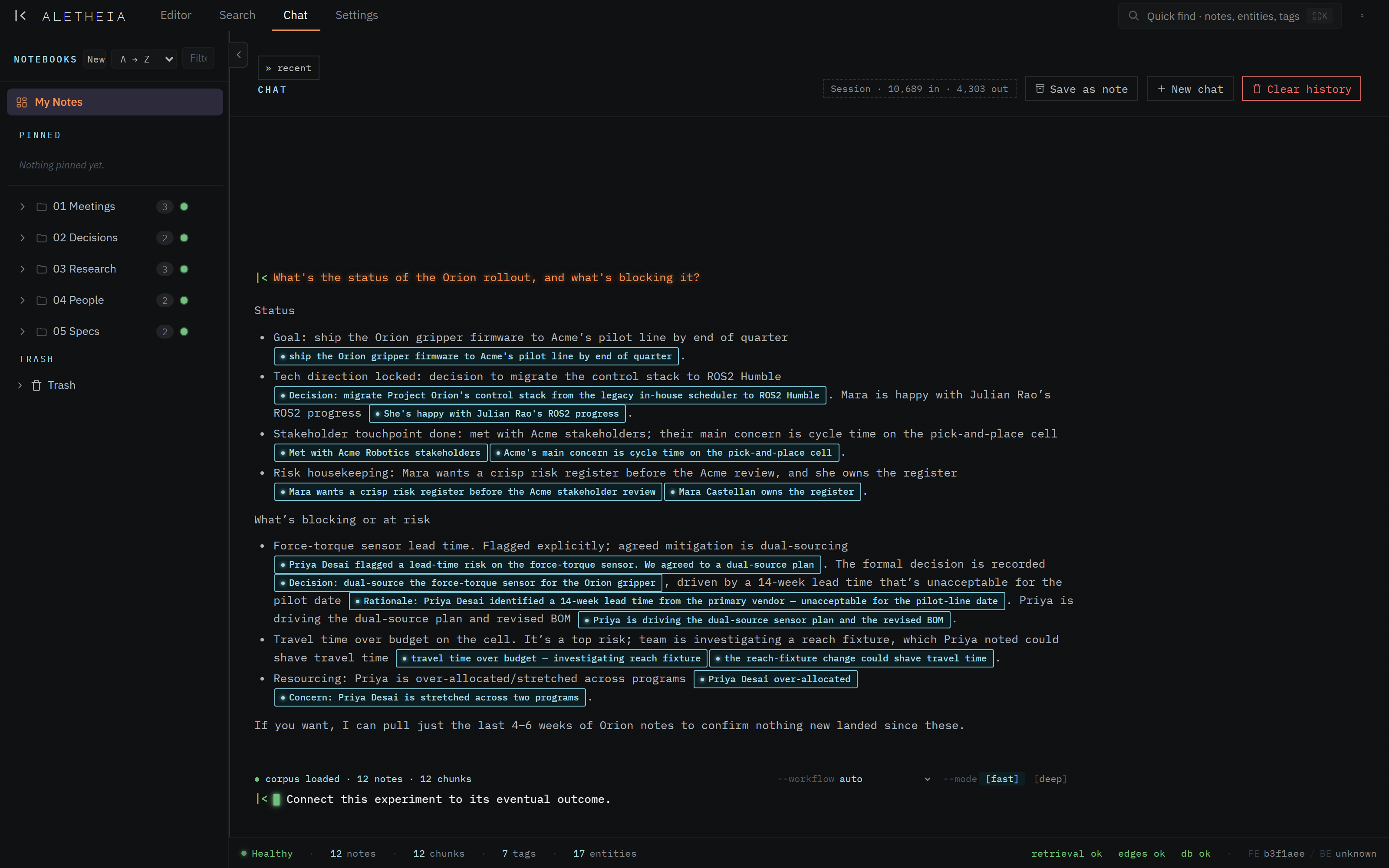
- Ask, don't dig Chat reads across everything you've captured and answers a real question in plain English — with links to the exact notes it used. If the answer isn't in your notes, it says so instead of inventing one.
-
Connections for free Every note is automatically linked to the people, projects, and topics it mentions. Open a note and the sidecar already shows who's involved and what else relates.
-
Your AI, with memory The same corpus is exposed as MCP tools. Point Claude Desktop or Claude Code at it and your assistant can read and write your knowledge base directly — no copy-pasting context every session.
What "MCP-first" means for you
Aletheia was built so that the retrieval surface your AI uses is the same one the app uses.
There's no second-class API. The app's search box and the search_hybrid tool your model
calls hit identical machinery. Practically, that means the assistant you already use plugs
straight in and works with your notes as a first-class citizen — see
The MCP surface.
A tour in one paragraph
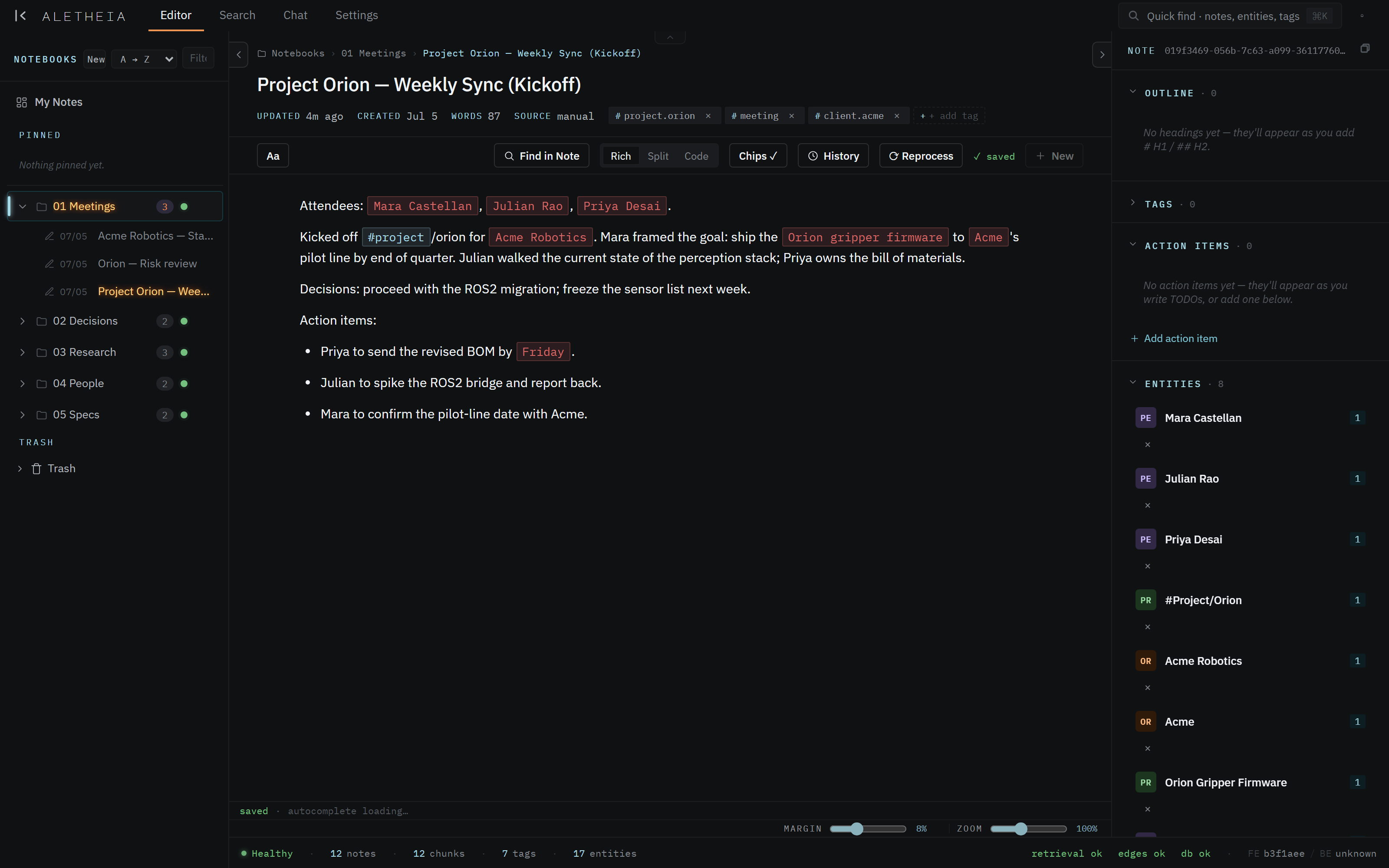
You write notes in the editor and file them into notebooks. Aletheia extracts tags and entities automatically and shows them, plus links and backlinks, in the right-hand sidecar. When you need something back, you search (by keyword, by meaning, or both) or you chat with the corpus and get a cited answer. Settings is where themes, your identity, the auto-filing autorouter, data sources, and the MCP connection all live.
