The interface at a glance
Aletheia has a stable shell that's the same on every surface: a top bar, a left notebooks pane, the active surface in the middle, and a status bar along the bottom. Learn it once.
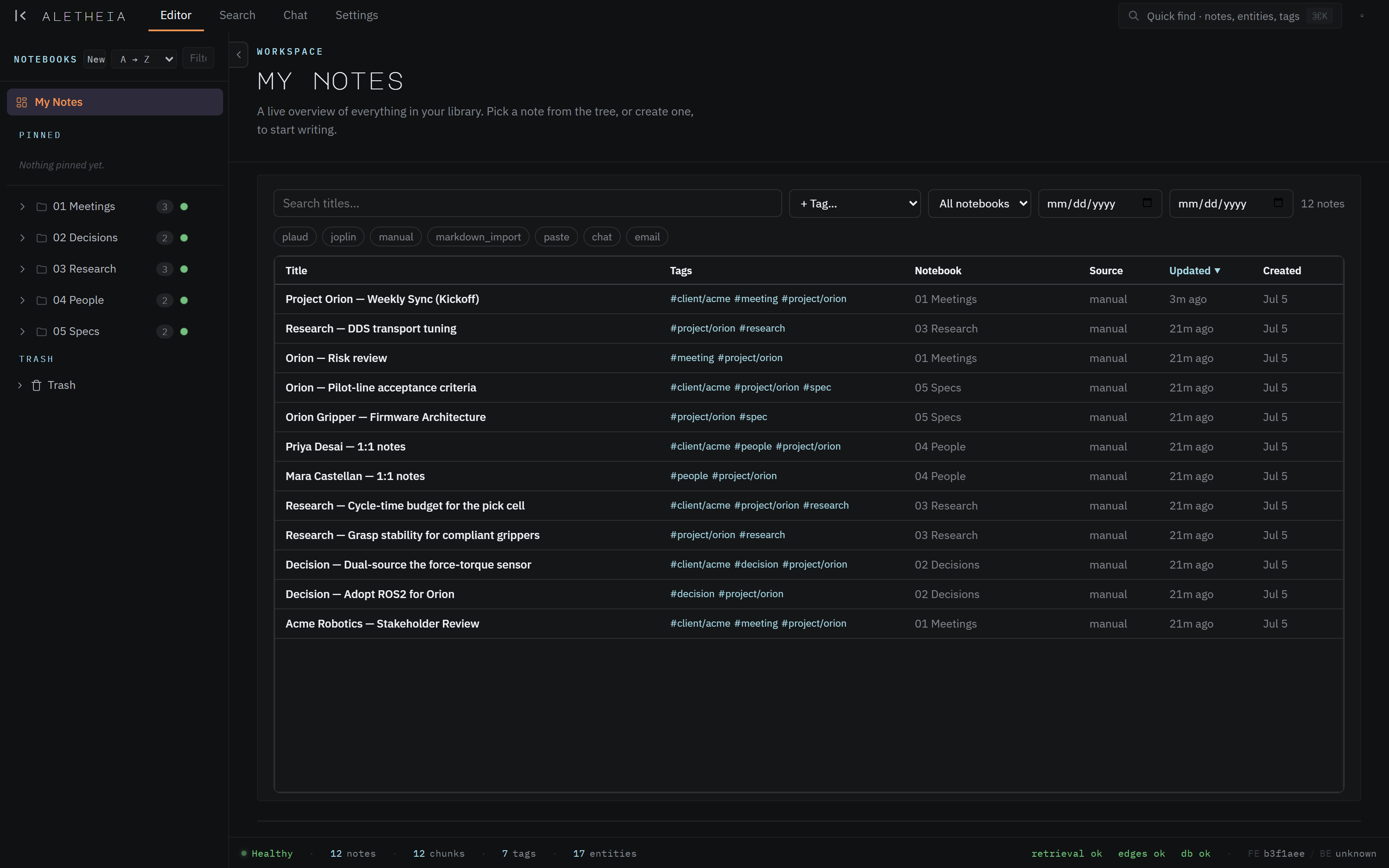
The top bar
Left to right:
- The
ALETHEIAwordmark — clicking it returns you to the Editor. - Surface tabs —
Editor · Search · Chat · Settings. These are the four surfaces of the app. The active one is underlined in the accent orange. You can also jump with single-key shortcuts (e,s,c,,) when no text field is focused — see Keyboard shortcuts. - Quick find (
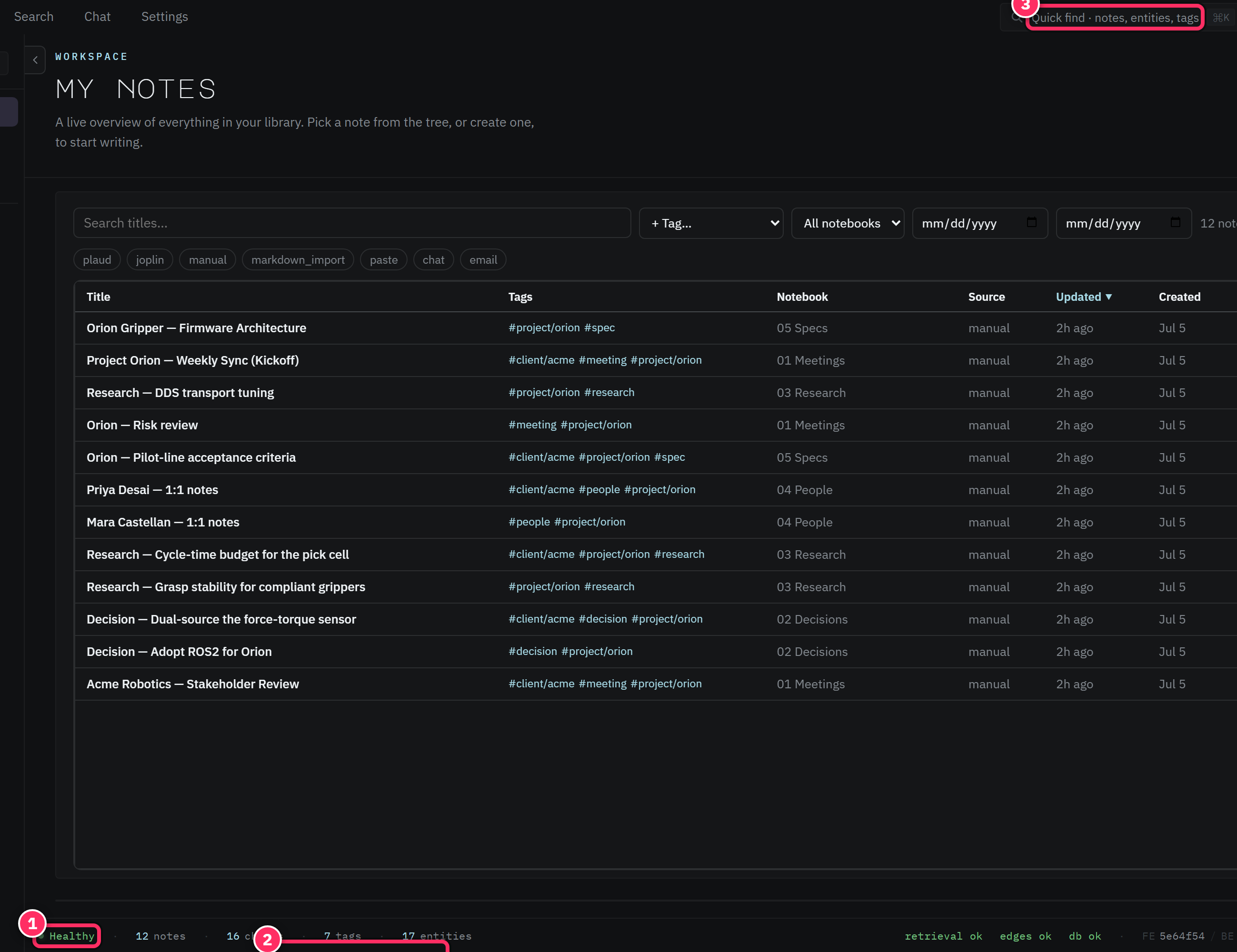
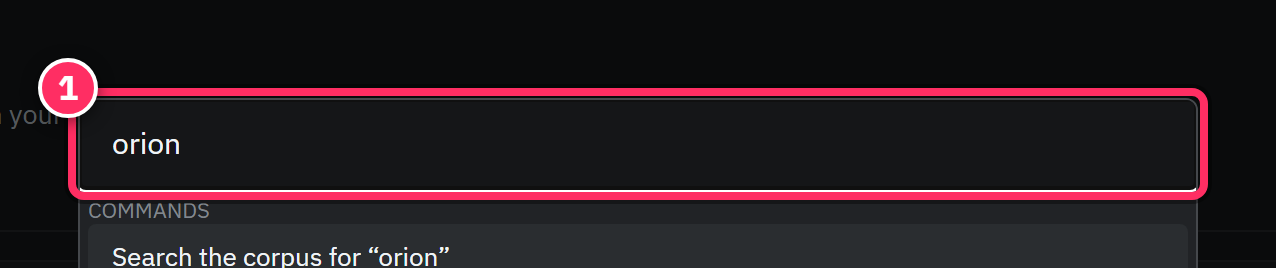
⌘K/Ctrl+K) — a global palette that searches notes, entities, tags, and commands. The fastest way to jump anywhere.

Four surfaces, by design
Earlier builds had separate Browse, Dashboards, and Graph surfaces; the shipping app deliberately contracts to Editor, Search, Chat, Settings. Entities, tags, action items, sources, and corpus health didn't disappear — they moved into those four (the editor sidecar, and Settings' sub-tabs). This manual documents the four-surface app.
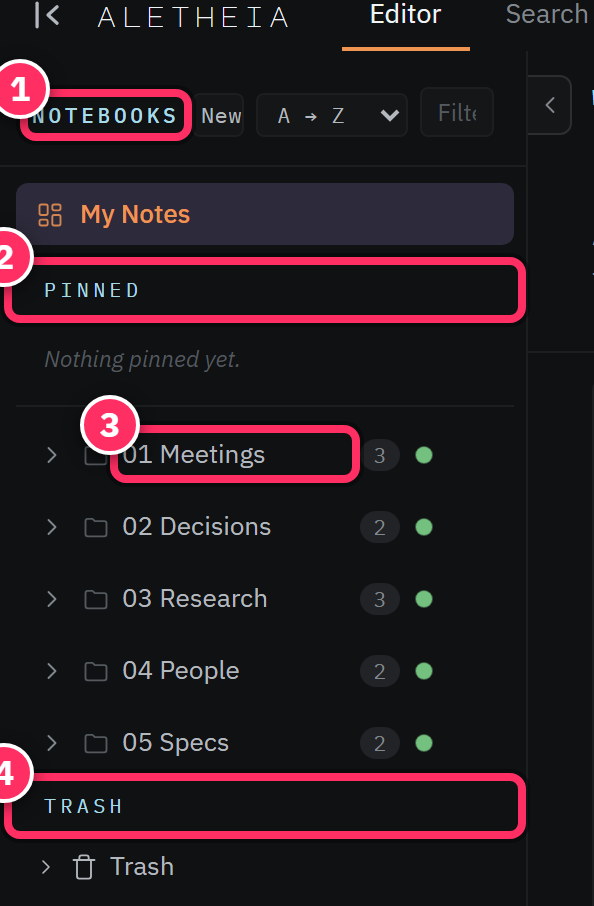
The notebooks pane (left)
Your folder tree. My Notes at the top is the everything-view; below it, your notebooks nest and expand. Pinned notes sit up top; Trash sits at the bottom. Each notebook row shows a live note count and a small dot. You can collapse the whole pane with the chevron to reclaim width. Full detail in Notebooks, Inbox & Trash.
The active surface (center)
Whatever you're doing lives here:
- Editor — write and read notes; the default home. When no note is open it shows the workspace: a filterable table of your whole library (pictured above).
- Search — hybrid / semantic / lexical retrieval with facet filters.
- Chat — ask questions across the corpus; get cited answers.
- Settings — appearance, identity, autorouter, sources, health, and the MCP connection.
The status bar (bottom)
A quiet health readout that's always present: a Healthy indicator, live counts of your
notes · chunks · tags · entities, and subsystem status (retrieval · edges · db). If
something's degraded, you'll see it here first. The counts are also a satisfying way to watch
extraction catch up after a burst of writing.
The command palette (⌘K)
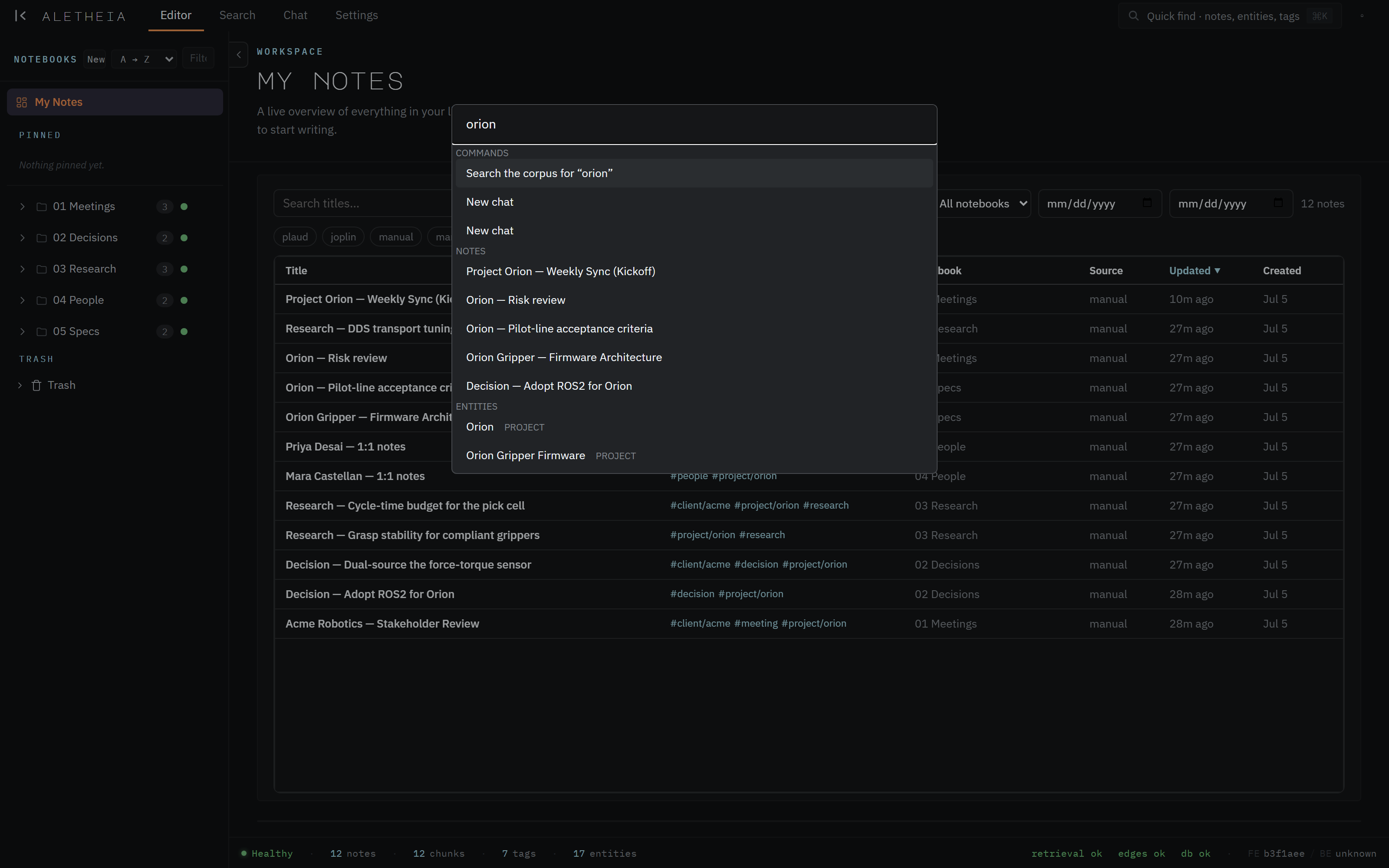
Press ⌘K (macOS) or Ctrl+K (Windows/Linux) anywhere. Start typing and it searches across
notes, entities, tags, and commands at once. Arrow keys to move, Enter to go, Esc to
close. It's the single shortcut most worth committing to muscle memory.
Next: First run & signing in →